Rewrite text anywhere you type
One OS-native shortcut that works in every app.
Try for free. No sign-up needed.
By downloading, you agree to our Privacy Policy and Terms of Service.

Select your text. Get it rewritten instantly.

01. Select text
Highlight any text in any application. Emails, documents, Slack messages, code editors. Tune works wherever you type.

02. Press the shortcut
Press ⌘+Shift+G on Mac or Ctrl+Shift+G on Windows. The Tune overlay appears instantly at the bottom of your screen. No context switching, no copy‑pasting. You can change the shortcut to any key combination in Settings.

03. Pick a style
Choose from your custom preset packs. Switch between different situations like professional emails, casual replies, or translations, and reuse them instantly. No retyping the same instructions every time. Just press, pick, done.

04. Done
The rewritten text replaces your selection automatically. Preview changes side by side with diff view, or undo with ⌘+Z anytime. The flow stays smooth from start to finish.
Simple tools that do exactly what you need.

Preset Packs
Group your rewriting styles into named packs. One for work emails, one for social posts, one for code docs. Switch between them in a single click.

Ad-hoc Mode
Press / and type whatever you need. "Reframe as a decision update, not a delay notification" "Extract the key points from the report and present them in concise bullet points" No setup required.

Diff Preview
See your original and rewrite side by side before you commit. Accept with Enter. Reject with Escape. You're always in control.
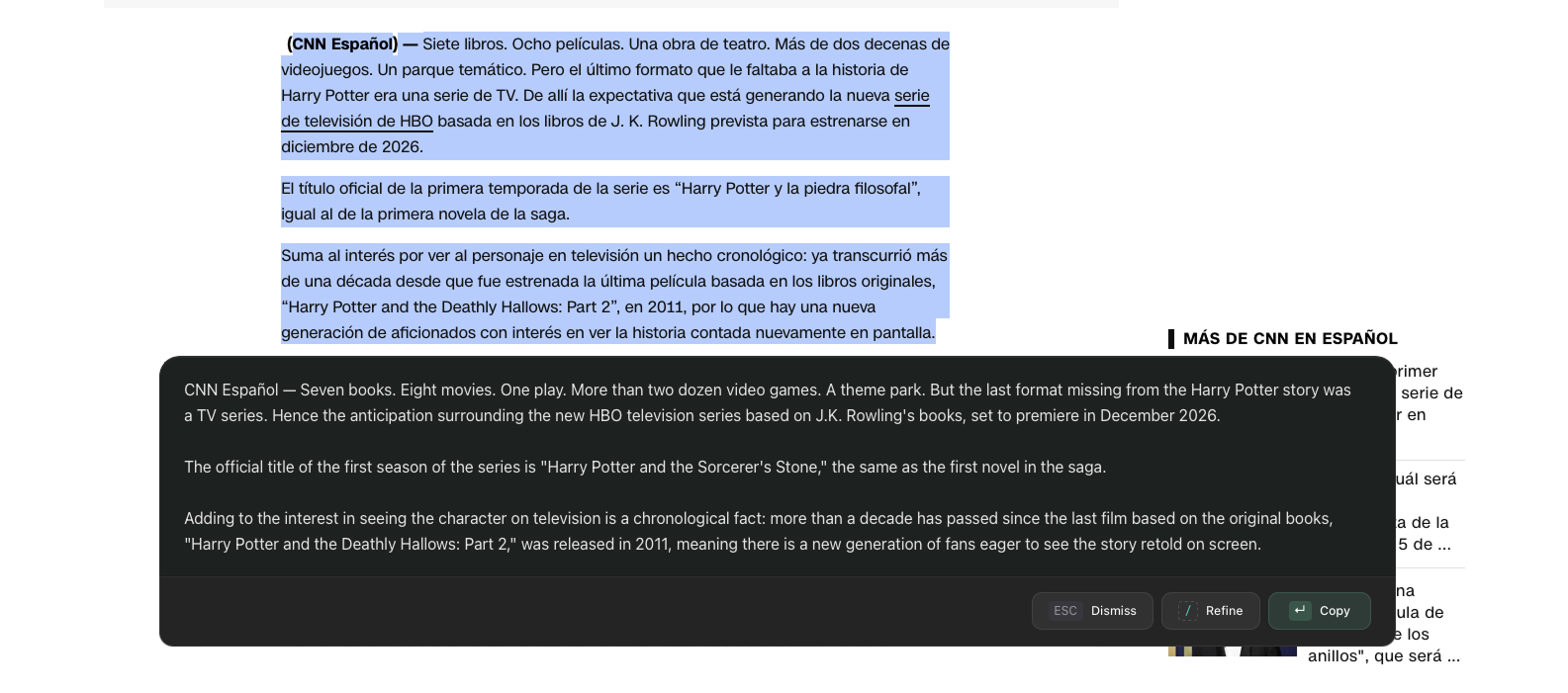
Read-only Mode
Translate, condense, or analyse without touching your original. The result goes straight to your clipboard. Your source text stays exactly where it was.
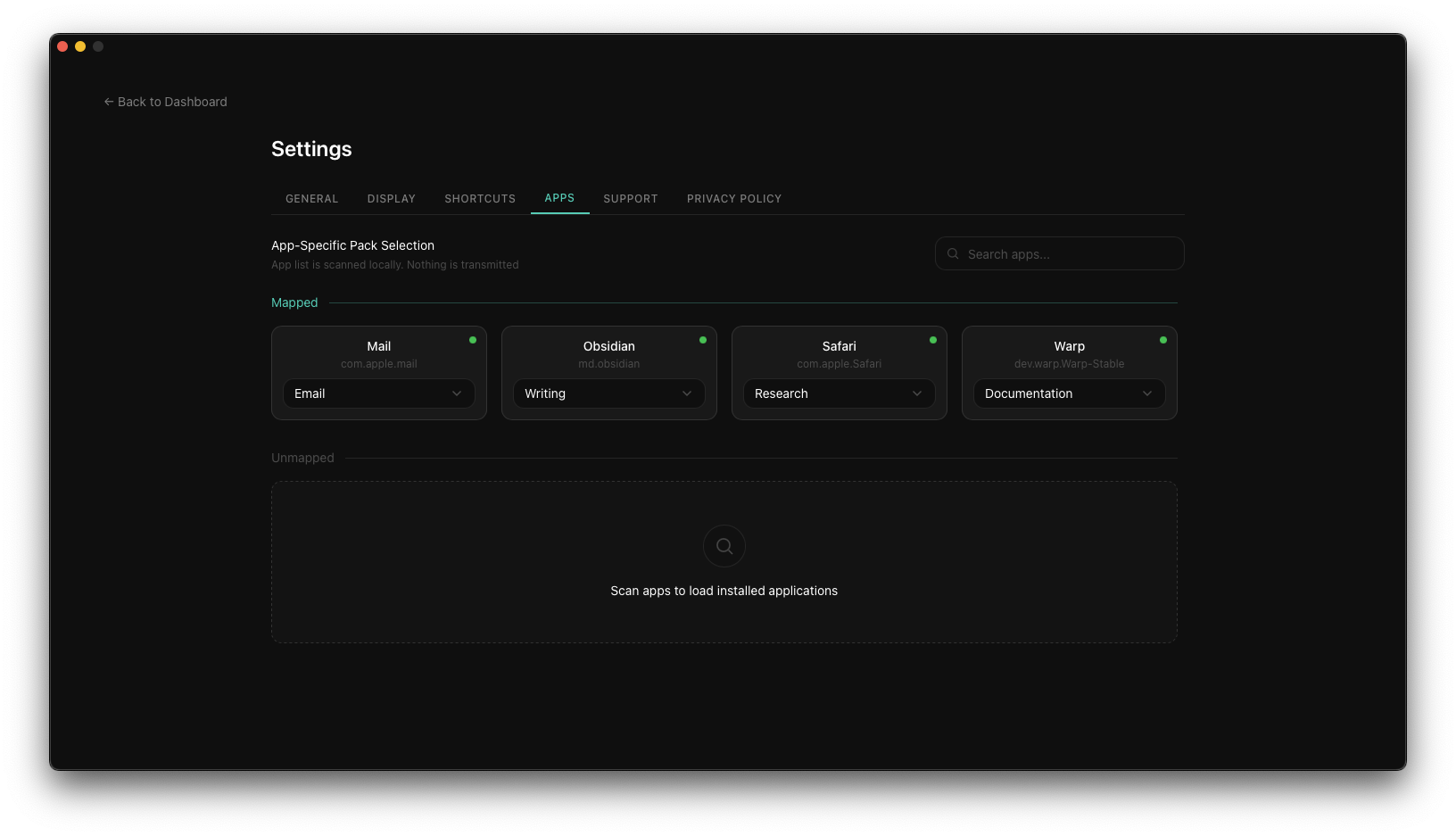
App-specific Packs
Tune sees which app you're in and picks the right pack for you. Slack gets your casual tone. VS Code gets your documentation style. You just press the shortcut.
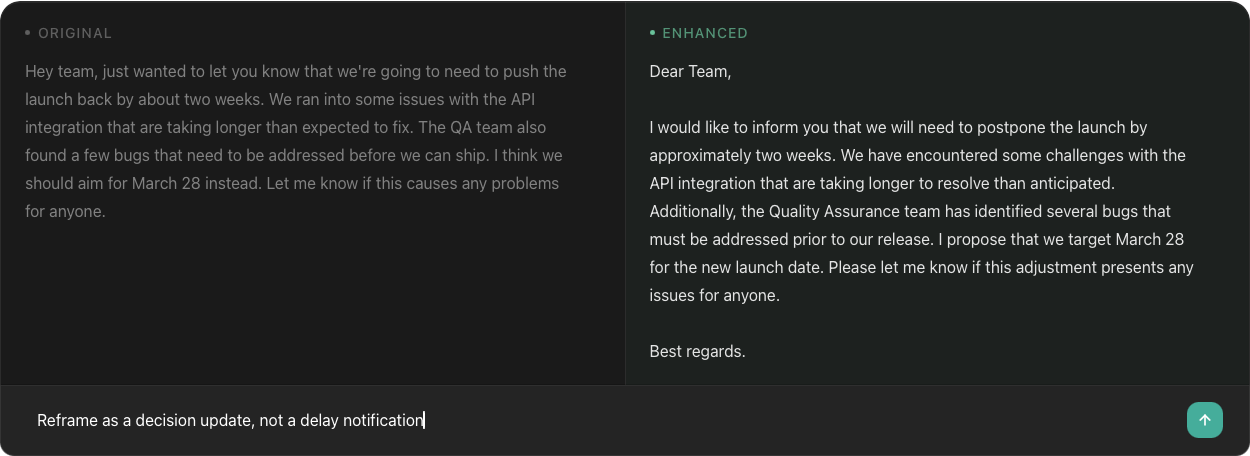
Thread Mode
Not quite there? Press / in the diff view and tell Tune what to change. Refine as many times as you need without losing your progress.
Your text stays yours.
No telemetry. No analytics. No rewrite history. Your text is processed in memory and discarded the moment it's done. Nothing is stored. Ever.
Works everywhere, then disappears.
One shortcut works in every app on your computer. No browser tabs. No copy-pasting. Tune does its job and gets out of the way.
Transparent by default.
Built by one developer. No venture capital. No hidden data collection. Simple pricing, and when something goes wrong, Tune tells you.